Why Your Email Bounce Rate Is High in 2026
Quick Answer
Why is my email bounce rate high in 2026?
Short answer: It is almost always a combination of rapid data decay and stricter ISP filtering. In 2026, B2B email lists expire faster than ever (about 25% turnover per year), and providers like Google and Yahoo now treat even minor bounce spikes as a sign of spamming, rejecting messages that used to slide through.
Why it matters: Bounce rates are the pulse of your sender reputation. If you exceed a 2% bounce rate, your "trust score" drops immediately. This causes a domino effect where future emails—even valid ones—are sent to spam or blocked entirely, effectively killing your campaign ROI until you verify and clean your list.
I remember the specific moment I stopped trusting "gut feeling" with email lists.
It was a Tuesday morning. We had just launched a re-engagement campaign for a SaaS client. The copy was sharp, the offer was solid, and the segment looked big. I hit send.
Twenty minutes later, I refreshed the dashboard.
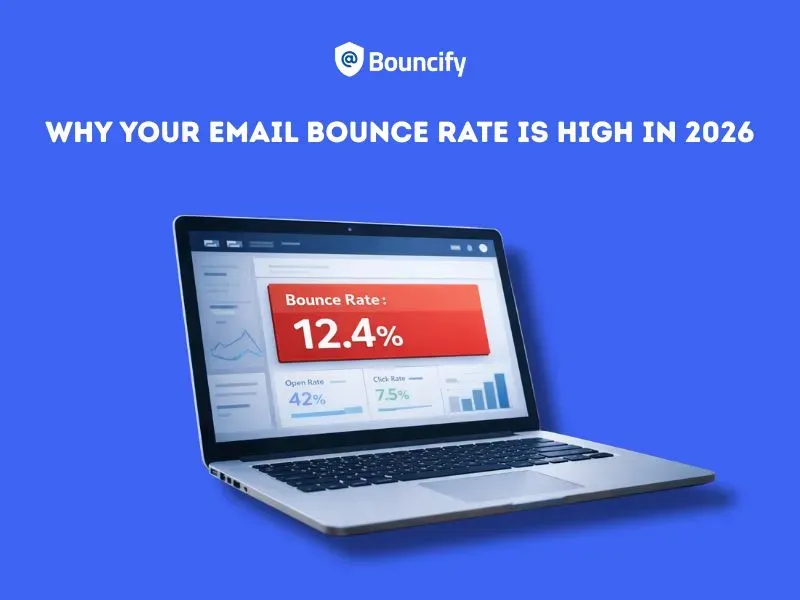
Bounce rate: 12.4%.
In the world of email deliverability, anything over 2% is a warning shot. Double digits? That’s a disaster. That’s how you get your domain blacklisted, your CEO’s emails landing in spam, and your sender score torched for months.
If you are reading this, you’re likely staring at a similar number. You’re wondering why your email bounce rate is high despite having what you think is a "clean list" .
Here is the reality of sending emails in 2026: The inbox providers (Google, Yahoo, Microsoft) have become ruthless. The margin for error is gone.
Here is what I’ve learned about why bounces happen today, and the exact protocol I use to fix them.
The New Normal: What Counts as a "High" Bounce Rate?
A few years ago, we used to say that a 3-5% bounce rate was "tolerable" for cold outreach. Not anymore.
Why the shift? Because ISPs (Internet Service Providers) have evolved. They no longer just look at content; they look at engagement and hygiene. If you are consistently hitting dead ends, they assume you are a spammer who bought a cheap list.
When I see a client with a high bounce rate, it usually falls into two buckets. You need to know which one is killing your campaign.
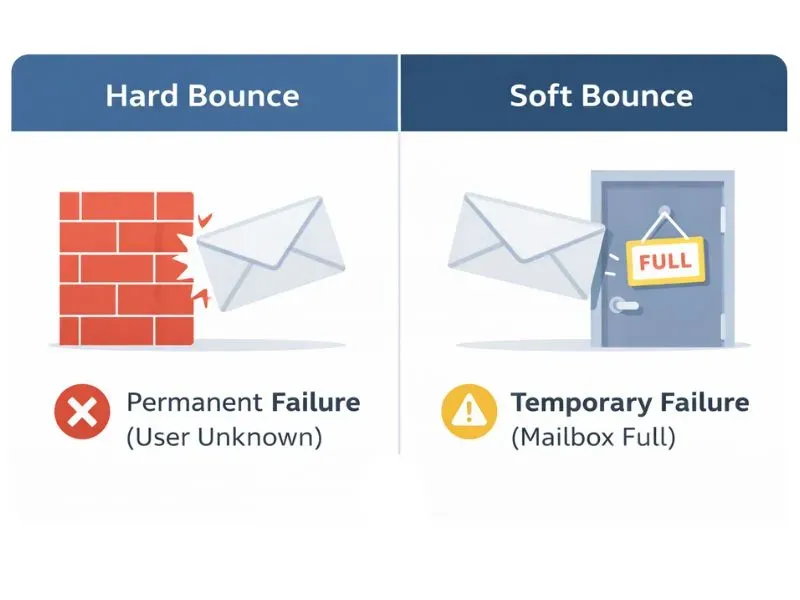
1. Hard Bounce (The Brick Wall)
This is a permanent failure. The email address doesn’t exist, the domain has expired, or the recipient server has completely blocked you.
- Example: You sent an email to john@company.com, but John quit six months ago and IT deleted his account.
- My Rule: I remove these immediately. Sending to a hard bounce twice is a cardinal sin of deliverability.
2. Soft Bounce (The Busy Signal)
This is a temporary failure. The email address is valid, but something stopped the delivery.
- Example: The recipient’s mailbox is full (common with free webmail), the server is down, or your email file size is too large.
Why Is My Email Bounce Rate High Now?
You haven’t changed your strategy, but your numbers are getting worse. Why?
In my experience auditing SaaS campaigns, it usually comes down to three factors that are specific to the current landscape.
1. Data Decay is Faster Than Ever
People change jobs faster in the 2020s than ever before. The average B2B email list decays by about 25% every year. If you are using a list you built in 2024 without verifying it, a quarter of those emails are dead. That’s an automatic 25% bounce rate waiting to happen.
2. The Rise of "Bot" Signups
If you have a signup form on your website without a CAPTCHA or double opt-in, you are likely collecting fake emails. Bots fill out forms to test stolen credit cards or spam your database. These emails (like sdfg45@gmail.com) don't exist. You send a welcome email, it bounces, and your reputation takes a hit instantly.
3. Stricter Technical Gatekeeping
In 2026, if your technical authentication (SPF, DKIM, DMARC) isn’t perfect, receiving servers will reject you. Sometimes this looks like a bounce. I’ve seen high bounce rate email campaigns where the list was actually clean, but the sender’s DMARC policy was set up incorrectly, causing the receiving server to say, "Access Denied."
The Hidden Cost: It’s Not Just About One Campaign
Here is what keeps me up at night: The Death Spiral.
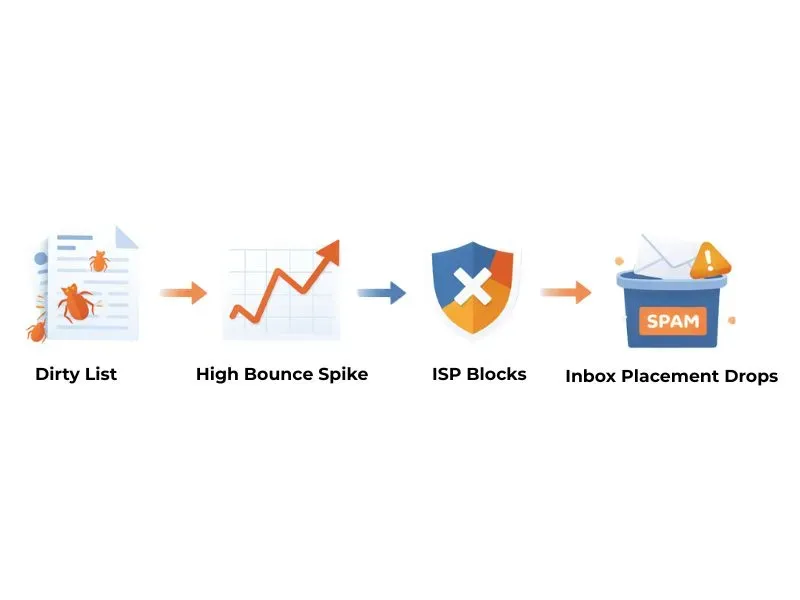
It works like this:
- You send a campaign with a 10% bounce rate.
- Google/Microsoft notices you are hitting dead inboxes.
- They lower your "Sender Reputation" score.
- Next time you send valid emails, your emails go to Spam because you are untrustworthy.
- Eventually, your emails don’t even go to Spam—they get blocked at the gateway (bounced).
High bounce rates create more high bounce rates. You have to stop the bleeding before you can heal the wound.
How I Fix High Bounce Rates (My Protocol)
When a client comes to me in panic mode, I don't guess. I follow a strict hygiene process. Here is how I tackle it:
Step 1: Pause All Sending
Stop. Do not try to "test" another campaign. If your deliverability is bleeding, you can’t run on a broken leg.
Step 2: Analyze the SMTP Error Codes
Don't just look at the "Bounced" number. Look at the reason.
- 550 Error: Usually means "User Unknown" (Hard Bounce).
- 554 Error: Usually means "Transaction Failed" (often Spam Block related).
- 421 Error: Service not available (Soft Bounce/Throttling).
If I see a wall of 550 errors, I know it’s a data quality issue. If I see 554s, I know we have a reputation issue.
Step 3: Verify the List (The Non-Negotiable Step)
I never send to a cold list or an old list without running it through a verification tool first. This is the lowest-cost safeguard for your sender reputation.
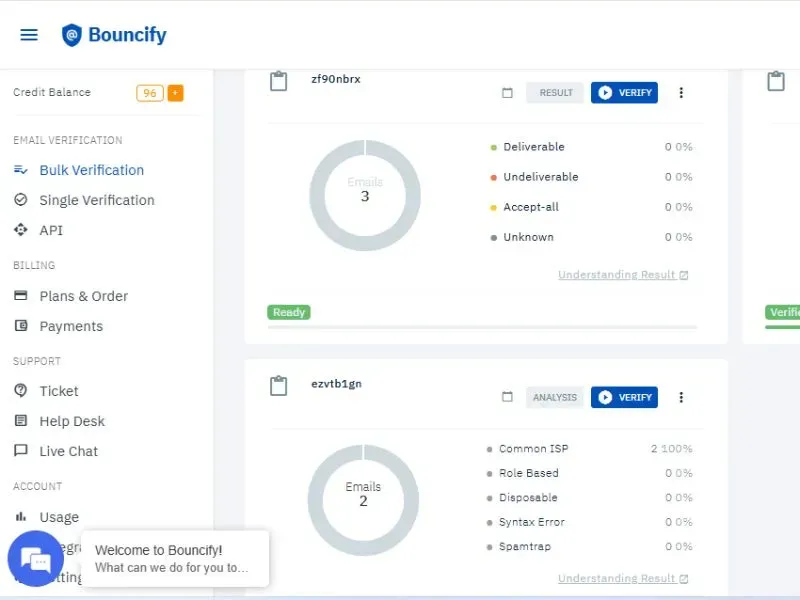
I use Bouncify for this. It allows me to upload my CSV and scrub the list before I ever load it into the email marketing software.

Ready to improve your email deliverability? Sign up now and verify your emails with us for free.
Bouncify checks for:
- Syntax errors: (e.g., jane@gmil.com vs gmail.com)
- Domain validity: Is the website even live?
- Disposable emails: Temporary addresses used by bots.
- Spam traps: The most dangerous addresses that exist solely to catch spammers.
Running the list through Bouncify typically removes 15–20% of low-quality contacts right away. It hurts to see the list size shrink, but I’d rather send 800 emails that land in the Inbox than 1,000 emails that land me on a blacklist.
Step 4: Implement Real-Time Verification
Fixing the current list is good; preventing future bad data is better. I always advise connecting an API to your signup forms. This stops a user from entering a typo or a fake email in real-time. If the email isn't valid, the form won't submit.
My "Safe Send" Checklist
Before you hit send on your next campaign, run through this quick mental check. I do this every single time.
- Age Check: Is this list older than 6 months? If yes, re-verify it.
- Source Check: Did I buy this list? (If yes, expect bounces).
- Tech Check: Are my SPF, DKIM, and DMARC records passing?
- Verification: Have I scrubbed the list for hard bounces using a tool like Bouncify?
- Volume: am I sending too many emails too fast? (Warm up your IP if you are sending over 5k/day).
The Future: AI Assistance and Staying Clean
We are moving toward a world where email filters are entirely AI-driven. They are smarter than us, and they learn faster than us.
However, we have AI on our side too. Modern email verification isn't just checking database records anymore; it's predicting deliverability based on complex historical data.
Tools that utilize AI to predict the likelihood of a bounce - before you even construct the email - are becoming standard in my workflow. It allows marketers to act faster and be more aggressive with their creative, knowing the technical foundation is safe.
If you are struggling with bounces, don't take it personally, but do take it seriously. Clean data is the foundation of inbox placement. Tools like Bouncify help verify email lists before sending and protect sender reputation.
Get free credits with Bouncify to verify your list today and protect your sender reputation.